Exporting
A run is exported with erdr run --export FORMATS, erdr export [RUN] -f FORMATS (repeats a
saved run first) or the GUI's Export page. all is every format.
| Format | Files | Content |
|---|---|---|
csv |
csv/<table>.csv |
one file per table; every float exactly; UTF-8 with BOM (Excel shows S₁, ρ, ∅) |
json |
run.json |
every table, the settings, notes and warnings |
markdown |
report.md |
the settings and every table |
latex |
latex/<table>.tex, latex/tables.tex |
booktabs tables, ASCII only (S$_{1}$, $\rho$) |
xlsx |
workbook.xlsx |
tables stacked per sheet like the ERDR workbook; the hypersphere figures on the Hyperspheres sheets, the others on Charts; the workbook's colours and legend |
figures |
figures/<figure>.png, .svg; figures/hyperspheres/object-N, figures/iteration-spheres/iteration-N; figures/iteration-spheres.gif |
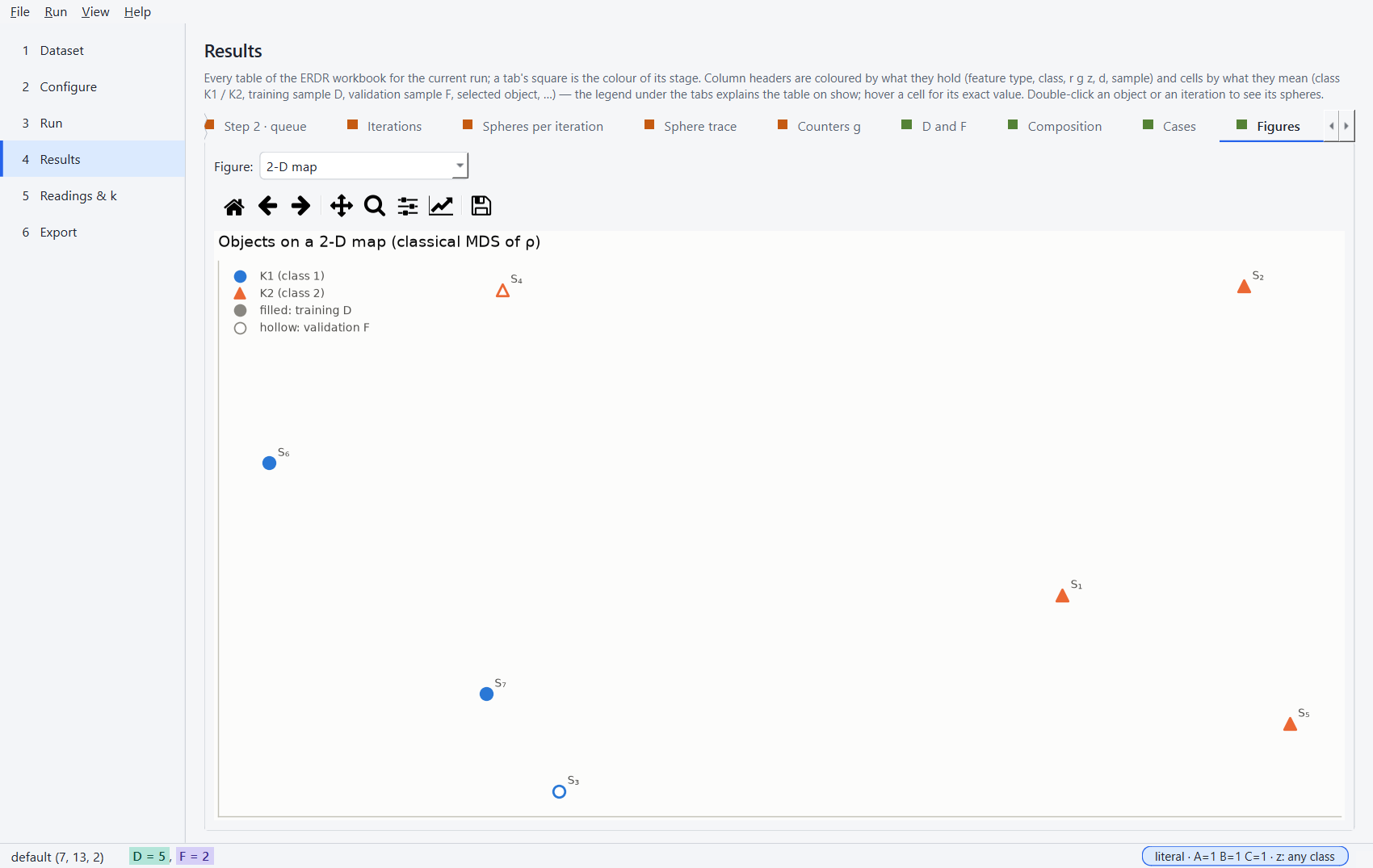
the 2-D map, r and z, priorities, sample sizes, class composition, the hypersphere figures (every object's spheres, the strips, the radius plane, every iteration's spheres — also one by one) and the iterations as an animation (+ readings, sweep) |
html |
report.html |
one self-contained page: settings, figures (inline SVG; the hypersphere figures right before their tables), tables |
datasets |
datasets/training|validation.dat|csv |
D and F in the author's extended layout |
The tables mirror the workbook's sheets: key results, dataset, normalized data, ρ (and ρ_I, ρ_J),
sorted neighbours, Step 1, enemy spheres, the hypersphere tables of Step 1 (enemy-spheres,
k-spheres, covering, sphere-checks), queue, iterations, the spheres per iteration
(iteration-spheres, sphere-trace), counters, routes (D and F), class composition, cases — plus
the readings comparison and the k sweep when they are included. For samples larger than 60
objects the m × m tables are left out of Markdown, LaTeX and HTML (they stay in CSV, JSON and
Excel); the sphere trace (m rows per iteration) is built for samples up to 60 objects only.
Colours
Excel, the HTML report, the figures and the desktop application share one colour per meaning
(erdr.export.theme, ADR-019) — the ERDR workbook's legend. Column headers show what a column
holds: quantitative feature (set I) light blue, nominal feature (set J) light yellow, the class
label pink, the ERDR characteristics r, g, z light green, d green, parameters lavender. Cells show
what a value is: the classes K1 blue, K2 orange (their colours in every figure), the training
sample D aqua and the validation sample F violet, the selected object green, members of L and
lowered counters yellow, enemies red, and ⚠ a switch or reading that is not the literal article
text orange. The workbook's sheet tabs carry the colour of their stage, its Overview lists the
colours the export uses, and the HTML report shows the same legend and names a colour when the
pointer rests on a cell. CSV, JSON, Markdown and LaTeX stay plain.
Figures
The figures use one categorical palette in a fixed order (blue, orange, aqua, …), validated for
colour-vision deficiency. In every figure of a run the colour is the class, which the marker
shape tells as well, and the fill is the sample (filled = D, hollow = F), so nothing rests on
colour alone. The sample sizes are drawn in the colours of D and F; a reading keeps its colour in
every figure (literal green, closest blue). The 2-D map is a classical multidimensional scaling of
ρ — positions are approximate. The hypersphere figures keep these rules: a sphere is drawn in its
owner's class colour and its state is told by its line — the enemy sphere solid, the k-sphere
dashed; in an iteration a sphere in L solid with the yellow of L, in F dashed, in D dotted
(Visualizations). figure_formats of ExportOptions chooses the files:
png, svg and gif (the animation).
From Python:
from pathlib import Path
from erdr.export import export_result, ExportOptions
from erdr.services.analysis import compare_readings

export_result(
    run, Path("exports"), ["xlsx", "html"], ExportOptions(readings=compare_readings(run.dataset))
)